Semrush
Scaling a design system from chaos to a company-wide platform
Team
2 designers
2 software engineers
My roles
Art director
Product designer
Researcher
Tools
Figma
ReactJS
Tokens Studio
TL;DR
Led the evolution of Semrush's design system from a basic UI kit into a scalable platform used across ~55 products
Removed barriers to adopt by improving usability of the system itself (semantic icon search, design tokens, documentation, quick updates)
Established parity between Figma and code, reducing inconsistencies and speeding up delivery
Turned the design system into a high-impact internal product, enabling consistency, scalability, and better decision-making across the organization
Challenge
As Semrush scaled from a handful of tools into a platform of 50+ products, the user experience became increasingly fragmented. Each team designed and built independently, leading to inconsistent UI patterns, duplicated components, lack of shared standards. Don't get me started about the number of libraries in Figma. What should have been a cohesive ecosystem instead felt like a collection of disconnected products, slowing down both product development and user adoption.
Solution
Intergalactic evolved from a static UI Kit into a unified design system that aligned design, engineering, and product teams around a shared foundation. By introducing design tokens, components, clear UX patterns, and workflows that kept design and code in sync, I transformed it into a scalable platform. Improvements like semantic search, better documentation, and structured pattern libraries made the system easy to use and adopt, enabling teams to build faster while delivering a consistent user experience across the entire Semrush ecosystem.
Logo
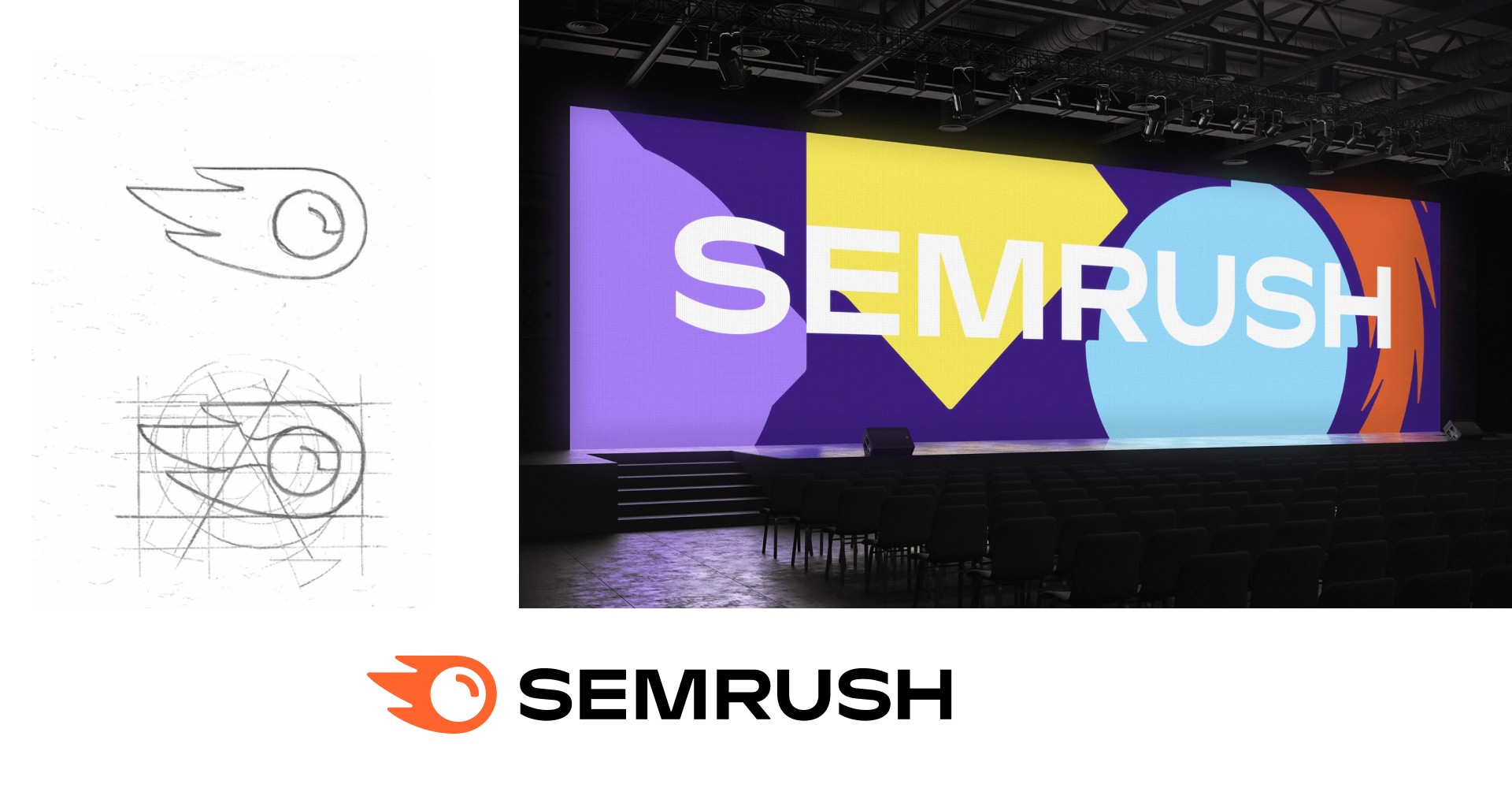
Alongside scaling the product ecosystem, Semrush was undergoing a major brand transformation, introducing a new logo and visual identity in collaboration with external and internal marketing teams. I worked early in this process to align product design with the evolving brand direction, ensuring that the emerging design system translated brand principles into UI patterns, components, and interactions. This helped bridge the gap between brand and product, creating a consistent look and feel across the platform from the ground up rather than retrofitting it later.
Icons
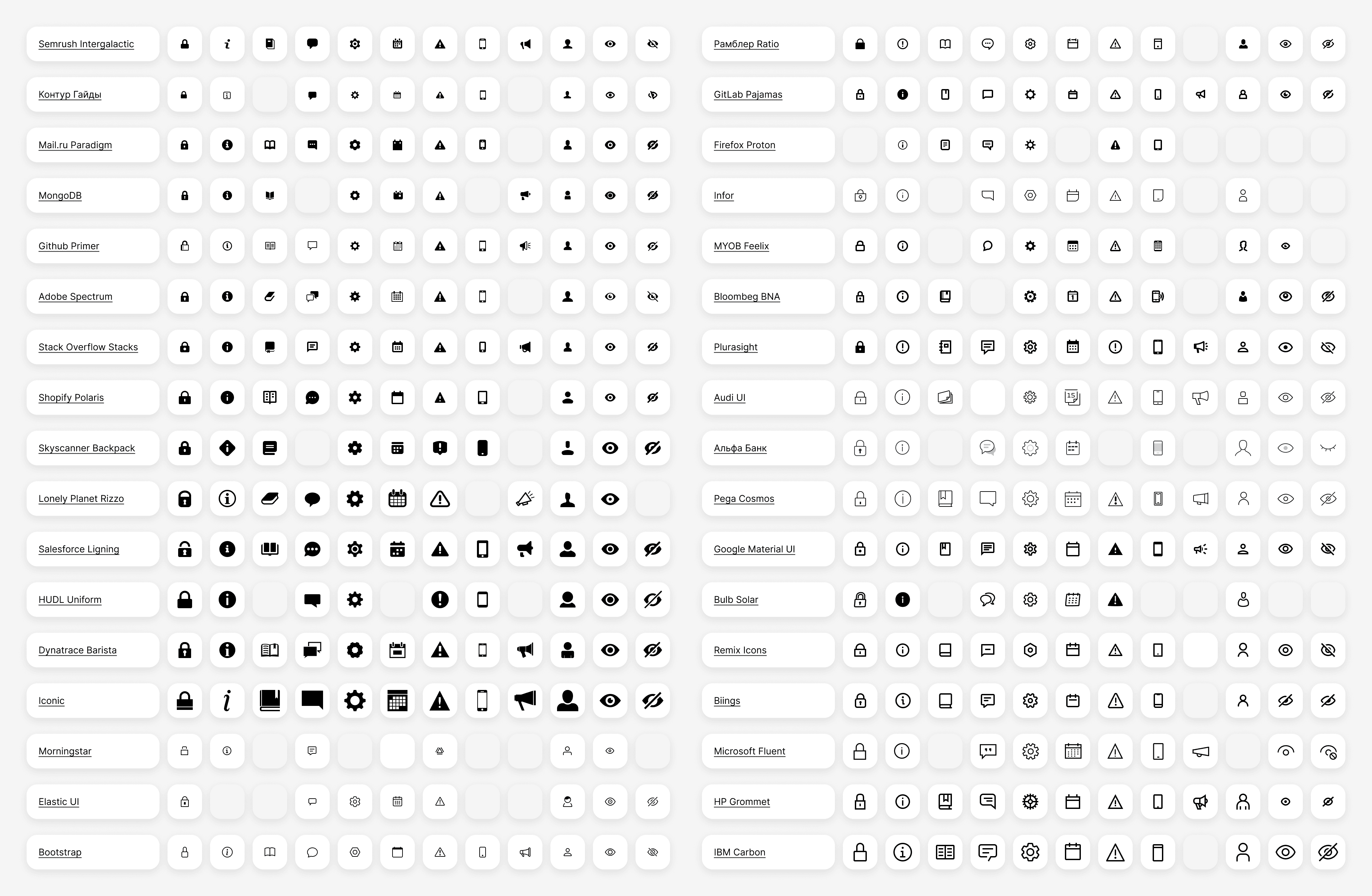
To find a right mood and tone for the new icons I've inspected 34 icon sets from different design systems. I've distributed them by style (outlined or filled), thickness, decorative elements (simple or detailed), etc. That allowed to see the direction where icons set will be going.
To reduce the bloated icon set at Semrush, I audited the existing library, which included 328 unique icons in 3 sizes each. Since I had originally designed most of them, I knew that manually recreating everything would be time-consuming and inefficient.
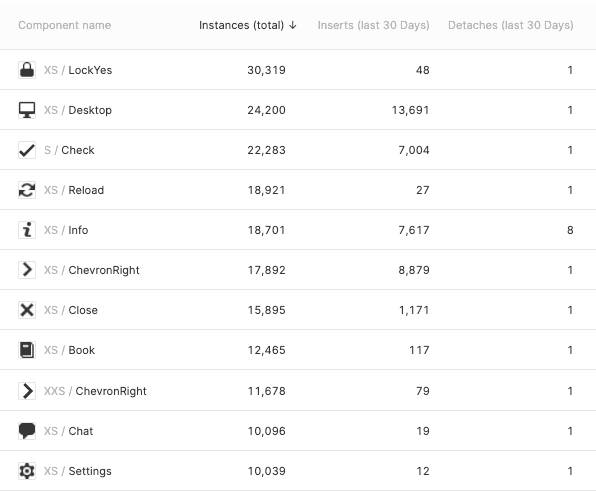
Instead, I took a data-driven approach via Figma’s component statistics to analyze usage, detachment patterns, and duplicates. This allowed me to reduce the total number of icons to 250 and them to sizes to two.
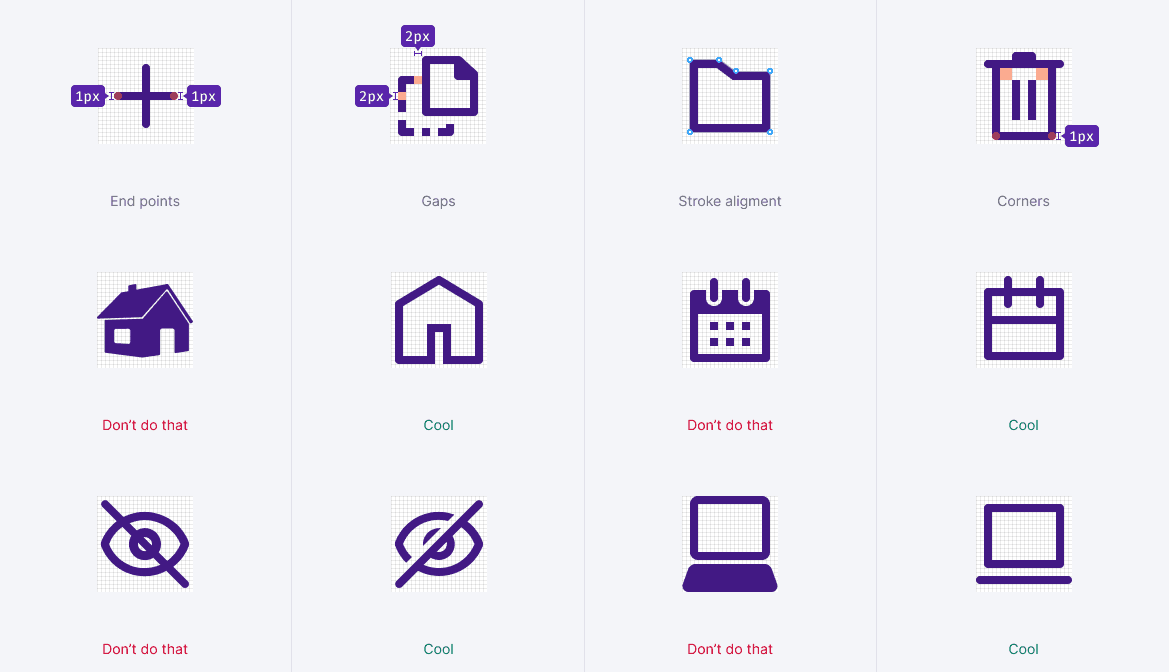
New icons now look coherent and unified, sharing the same border width for both sizes, identical rounded corner radiuses and other stylistic elements.
I supplied it with a guidelines to help designers create new icons.
Semantic search for icons
Problem: Designers are in a hurry to deliver their work. They search by intent, not by label I created. Example: searching for a chalice icon using tag “cup” when the icon in set is called “goblet”.
Solution: Introduced semantic tagging with synonyms. For example, you're looking for a icon to accompany "try again" button, but don't know how corresponding icon might be called. But you do know that there must be an arrow. So you type "arrow" and observe all icons with a arrowhead.
Impact: Faster asset discovery, reduced friction in daily workflows for designers.
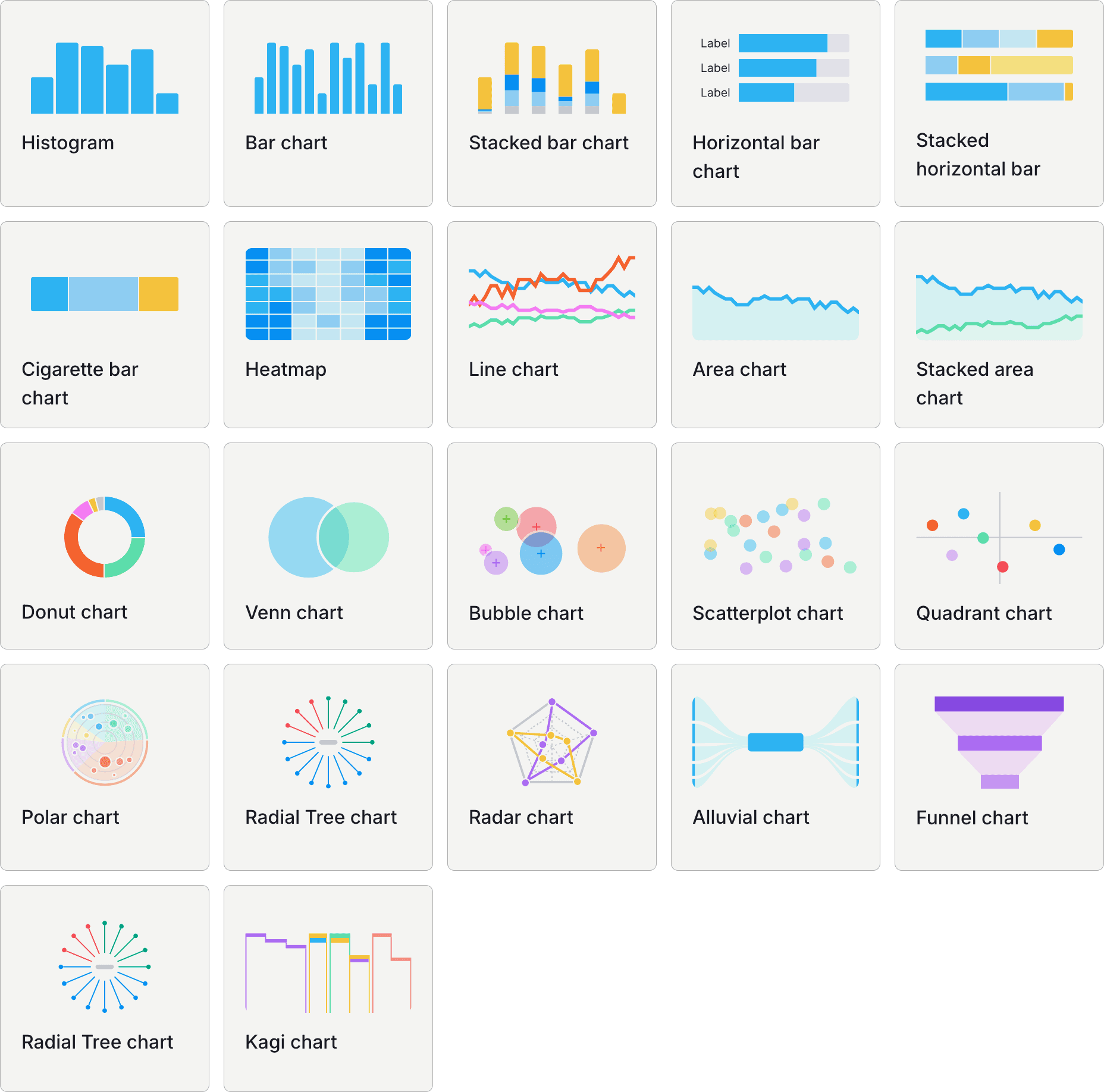
Problem: Designers, developers and product owners were getting lost in great variety of different charts that we have. Donut, pie and bar might sound familiar. But what about Venn, Kagi, and Alluvial? Confused? So was I. A good theme for a trivia game for designers though.
Solution: Added showcase, a splash screen and a dev page where all the charts were displayed next to their names.
Impact: Reducing everyone's cognitive load.
Modular layout
While auditing Semrush products, I found fragmentation not only in UI components but also in layout logic. There were 16 different screen size variants and an inconsistent set of breakpoints across desktop, tablet, and mobile, making layouts hard to scale and maintain.
To address this, I introduced a modular 12-column grid system that brought consistency and predictability to layout design. It allowed teams to flexibly combine even and uneven structures while keeping spacing rules consistent across products. By aligning content into reusable modules, we created a system that worked equally well for dense, data-heavy reports and more spacious interfaces, improving both visual clarity and implementation efficiency.
Component playground
Static documentation made it hard to explore states and understand how props, add-ons, and behaviors translate from Figma to code.
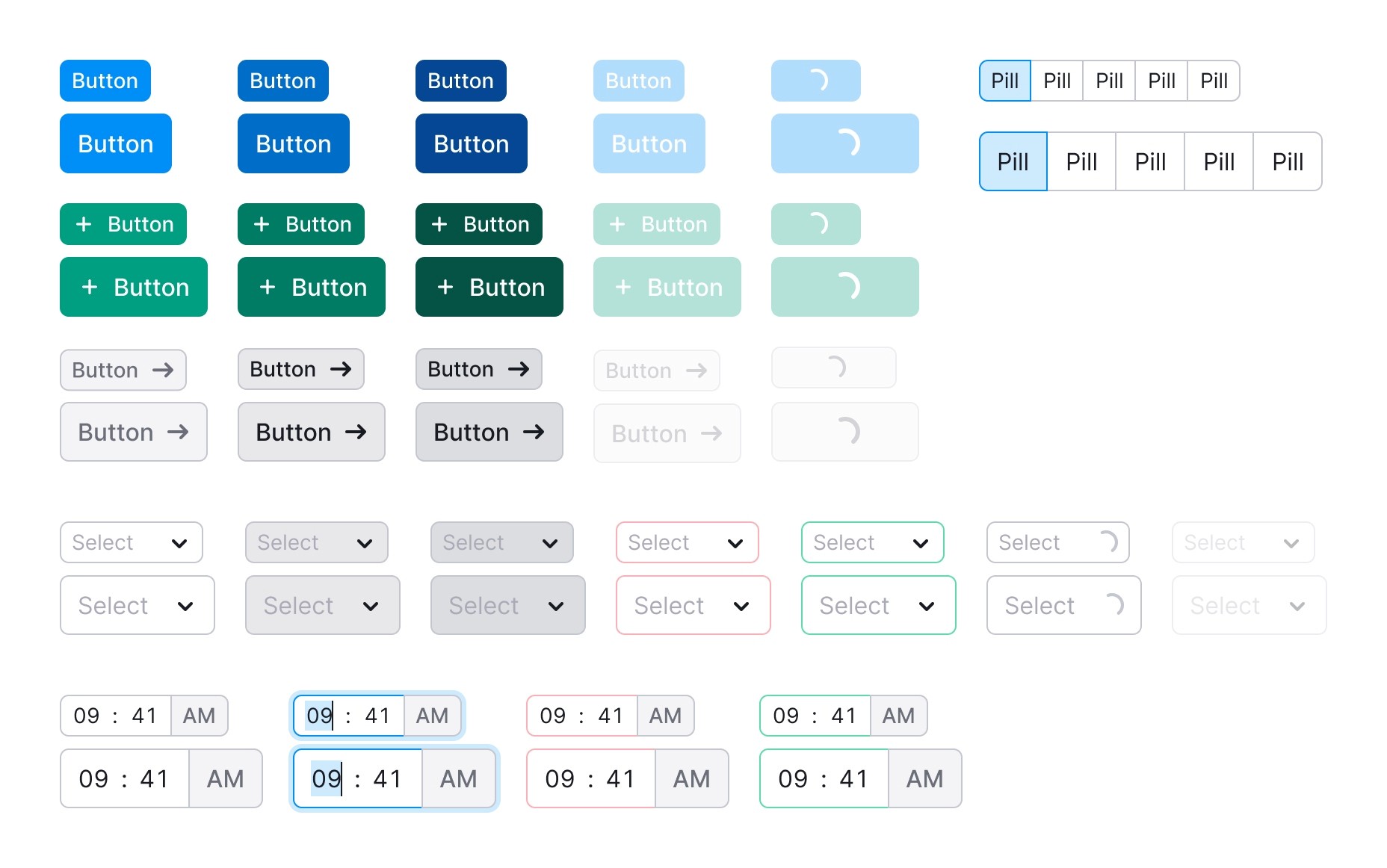
I introduced a component playground — an interactive environment where components could be configured in real time. Each component mirrored its Figma counterpart, with aligned naming for states, properties, and add-ons, creating a consistent mental model across design and development.
Accessibility futureproofing
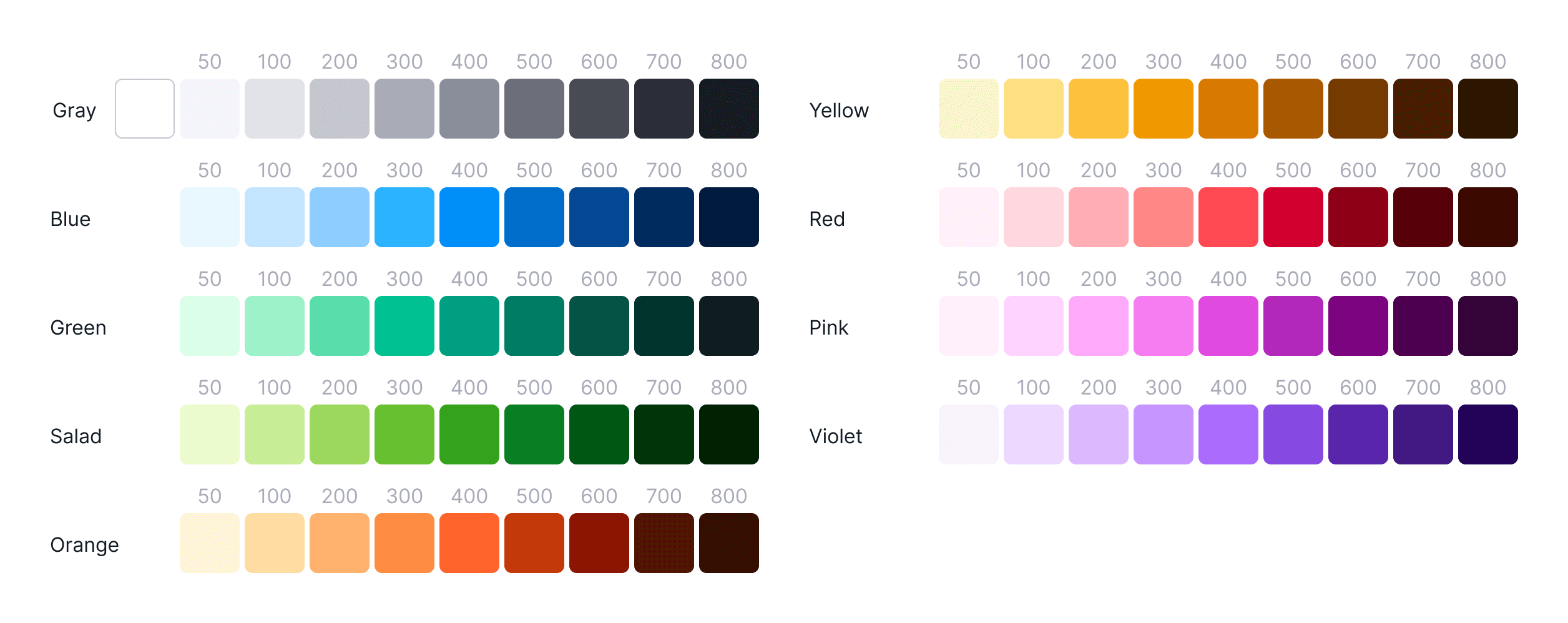
Accessibility was treated as a core requirement, not an afterthought. The goal was to meet WCAG AA standards while ensuring the interface remained usable for a wide range of visual conditions, including low vision and color blindness. Contrast validation became a built-in part of the design process, helping teams consistently meet required thresholds.
Button
4.33
:1
Contrast ratio
Fail
At the same time, the aim was set beyond current standards by aligning the system with APCA (the upcoming WCAG 3 contrast model).
To support this, I moved the color system from HSL to the perceptually uniform Lab model, allowing us to generate palettes that maintain consistent visual weight while passing accessibility requirements.
This ensured the system was both compliant today and ready for future standards without rework.
Visual loudness
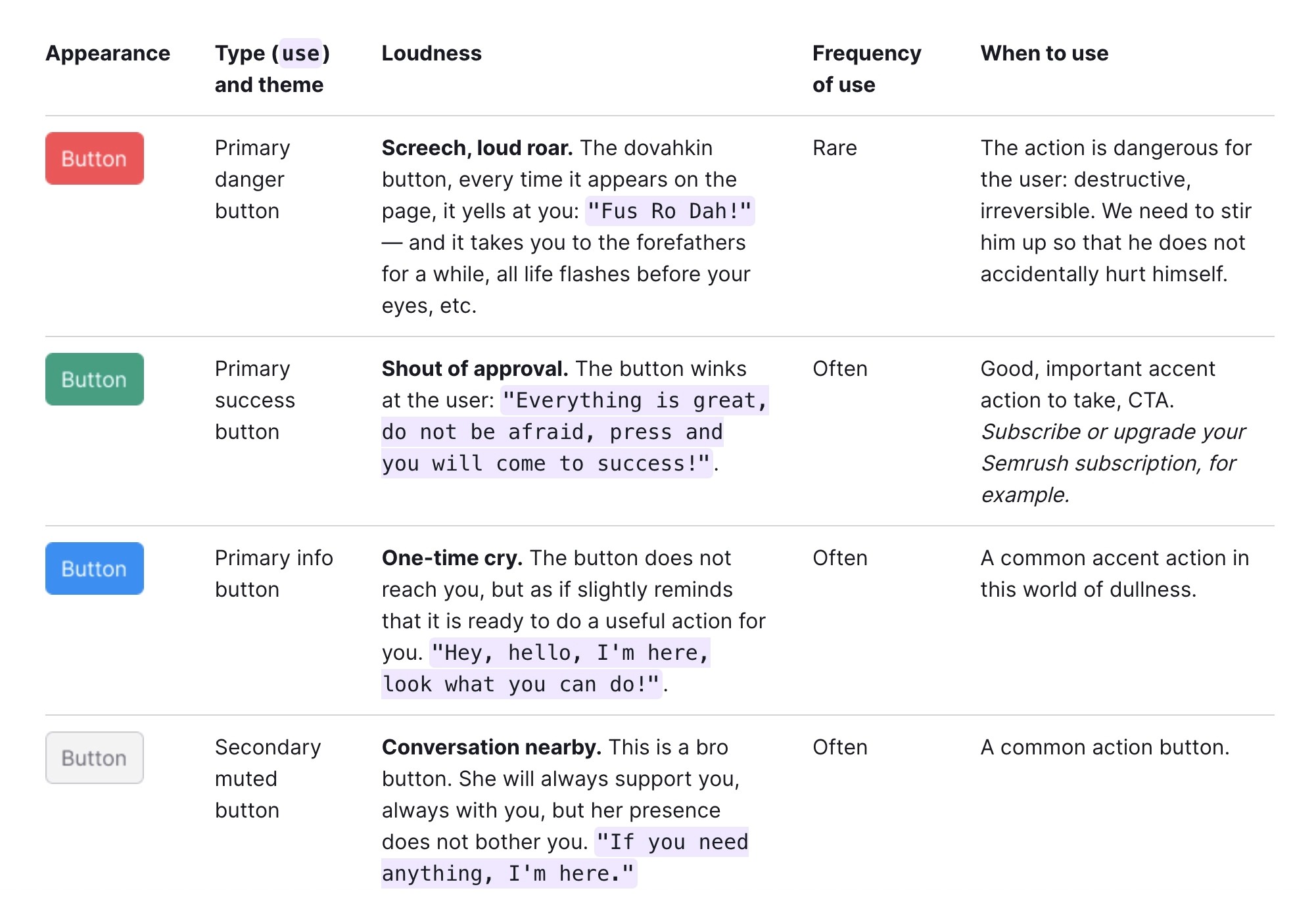
To create clear and consistent hierarchy across products, I introduced a “visual loudness” scale, a system for controlling how much attention each element should attract. Instead of overusing color, we applied it deliberately to signal priority and guide user focus.
High-impact actions use strong, saturated colors to stand out, while secondary and tertiary elements are progressively more muted. This approach helps users quickly identify what matters on a page, reduces visual noise, and ensures that emphasis is applied consistently across the entire system.
Keeping engineers in the loop
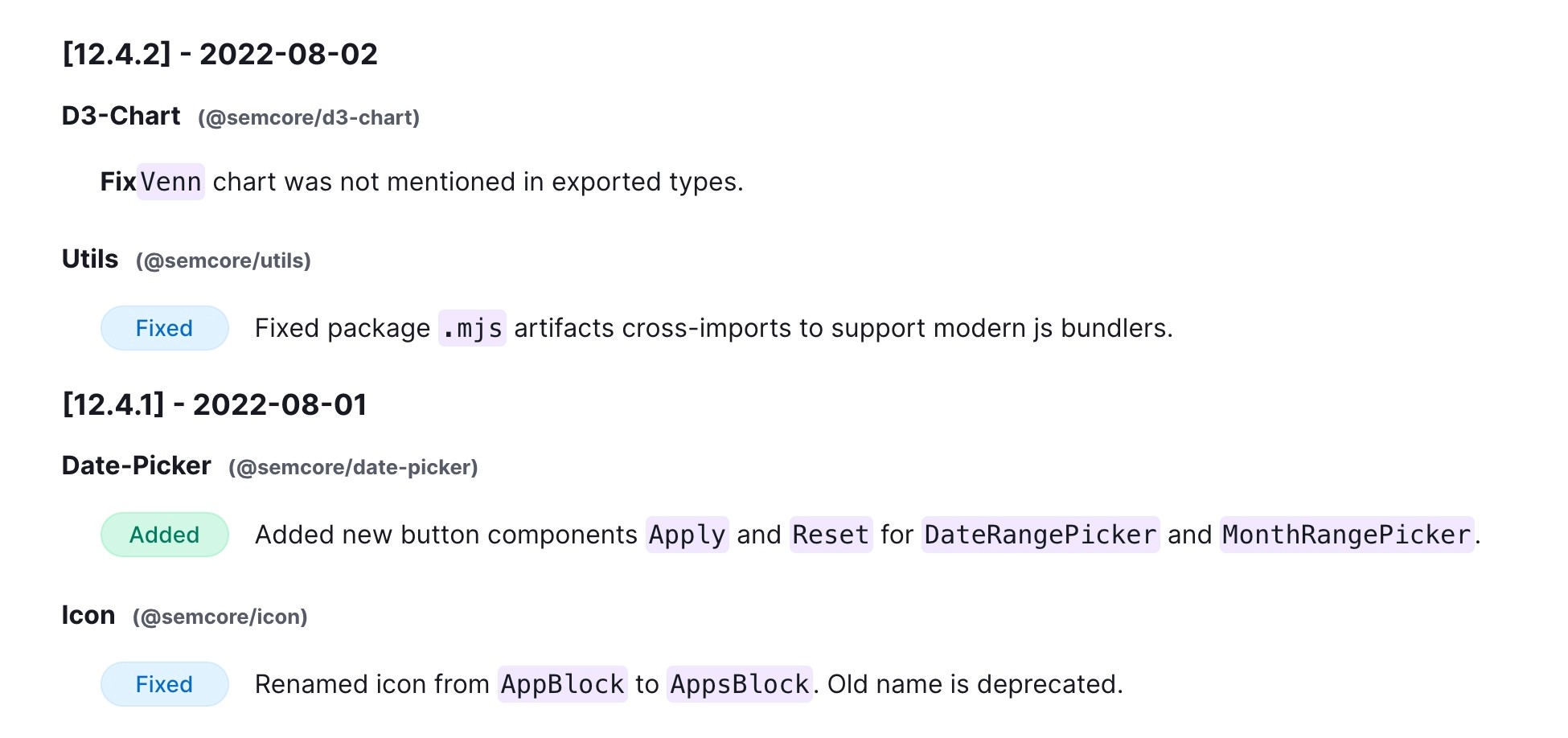
Problem: Design system assets in Figma and Github frequently drifted out of sync, creating inconsistencies and slowing down implementation. Alignment required constant manual effort across two parallel systems.
Solution: I established tighter collaboration between design and engineering, supported by direct access to internal users for sessions of rapid feedback. To improve transparency, we introduced an open changelog with a live Slack feed and regular email updates, keeping users aligned on changes.
Impact: Reduced version mismatch between design and code, improved cross-team communication, and enabled faster, more reliable adoption of the design system.
Other little things to make designers' lives easier
Drop Component here
Button

Swappable components
Variants and swappable components allowed complex but lightweight files. This made switching elements and nested components easy without rebuilding layouts all while keeping performance high.
Real-time support
By leveraging existing best practices from our own customer support and customer success teams we addressed both recurring and unique questions directly via Slack, FAQ and self-service.
Master
Theme 2
Theme 1
Theme 3
Branches
Branches in Figma allowed theming with Integalactic design system. Designers could create a branch of master file(-s), iterate on them, and test in isolation before, introducing git-like workflow.
Did it work?
Yes! We run a post-launch research and received an overwhelmingly positive feedback.
Autolayout, tokens, variables
Ready to build something amazing together?
I'd love to connect with you.